
High-Volume Office Photocopier Rental Johor Bahru (JB)
Keep demanding office printing workflows moving with 45–60 PPM heavy-duty multifunction photocopiers. GQ Office Solutions Sdn Bhd helps businesses in Johor Bahru evaluate suitable printing speeds, document-handling features and rental support for busy workplaces.
GQ Office Solutions Sdn Bhd | Business Copier & Printer Rental in Johor
Quick Answer: What Is High-Volume Photocopier Rental?
High-volume photocopier rental is a business printing solution for offices that need to process frequent, large or time-sensitive printing and copying jobs. Compared with lower-speed office copiers, heavy-duty machines typically offer faster output, greater paper-handling flexibility and additional productivity features.
At GQ Office Solutions, our product categories distinguish Reliable Copiers operating at approximately 20–30 PPM from Heavy Duty Copiers operating at approximately 45–60 PPM. The right category depends on actual workload, peak-hour demand, scanning requirements and the number of employees sharing the device.
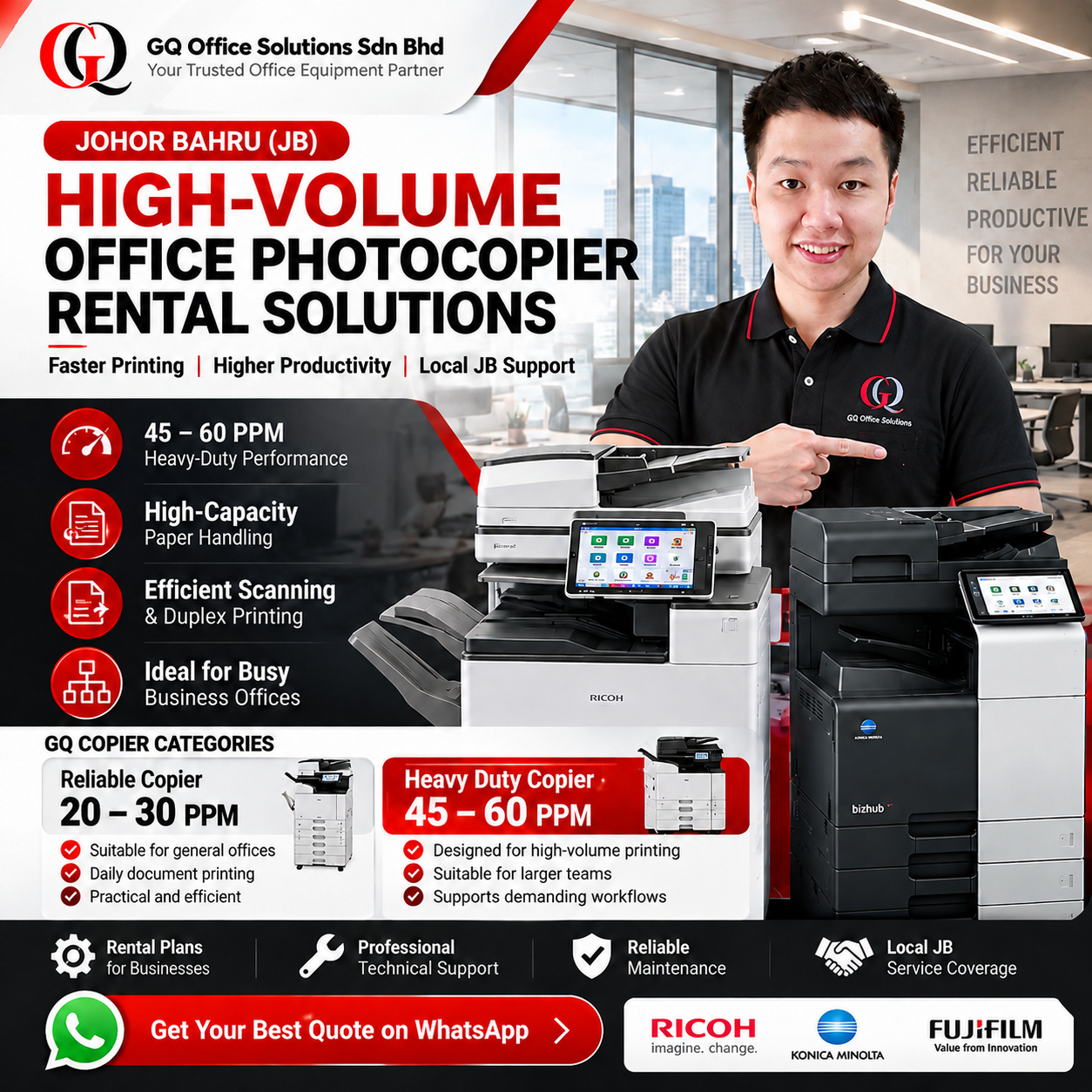
GQ PRODUCT CATEGORIES
Reliable Copier vs Heavy Duty Copier: Which Category Fits Your Office?
A faster copier is not automatically the best choice for every business. The decision should reflect how often employees print, how many jobs arrive at once, and whether large document batches must be completed within a limited time.
Reliable Copier
20–30 PPM
A practical category for workplaces with moderate printing requirements and manageable print queues.
Typical scenarios: General administration, small workgroups, daily invoicing, correspondence and routine office documents.
Actual suitability depends on print volume, duty-cycle guidance and device configuration.
Heavy Duty Copier
45–60 PPM
Designed for businesses that need faster output, more demanding document workflows and greater productivity during busy printing periods.
Typical scenarios: Shared departmental printing, large report batches, operational paperwork, administrative processing and frequent high-volume copying.
Confirm monthly volume limits, paper capacity and finishing options for each specific model.
Browse the available models in the GQ photocopier product catalogue .
20 vs 30 vs 45 vs 60 PPM: How Much Does Print Speed Matter?
PPM means pages per minute. Manufacturer-rated PPM provides a useful starting point for comparing copiers, but real output time also depends on document complexity, warm-up, processing, paper size and finishing requirements.
| Rated Speed | GQ Category | Ideal Discussion Point | Theoretical Time for 300 Pages |
|---|---|---|---|
| 20 PPM | Reliable | Routine office printing | 15 minutes |
| 30 PPM | Reliable | Moderate shared workloads | 10 minutes |
| 45 PPM | Heavy Duty | Frequent large document batches | 6 min 40 sec |
| 60 PPM | Heavy Duty | Time-sensitive high-output workflows | 5 minutes |
Calculation note: 300 pages divided by the stated PPM. These are simplified theoretical running times, not guaranteed completion times. They exclude warm-up, first-page delay, job processing, paper loading and other interruptions. Manufacturer speeds are generally measured under specified test conditions.
WORKFLOW PERFORMANCE
Five Signs Your Office May Need a Heavy-Duty Photocopier
01. Print Queues Build Up
Employees regularly wait for colleagues to finish large printing jobs before accessing the shared copier.
02. Reports Must Be Printed Quickly
Teams frequently produce contracts, operational reports or document sets under tight deadlines.
03. Scanning Is a Daily Bottleneck
Staff repeatedly scan large stacks of invoices, delivery orders or archived paperwork.
04. Multiple Departments Share One Device
Accounts, administration, purchasing and operations send jobs to the same machine throughout the working day.
05. Paper Replenishment Interrupts Work
Frequent tray refilling slows document processing, suggesting a need to review paper capacity and optional feeding configurations.
These signs indicate that a workflow assessment may be useful. They do not automatically mean that a 60 PPM machine is required.
High-Volume Printing Applications Across Johor Bahru
Different industries experience different printing peaks. The following are common business scenarios where faster multifunction copiers may be worth evaluating.
Factories & Manufacturing Offices
Production records, purchase orders, quality documentation and administrative paperwork.
Logistics & Warehousing
Delivery orders, shipment documents, inventory reports and dispatch records.
Accounting & Finance Departments
Financial reports, invoices, audit documentation and large-volume scanning of supporting records.
Corporate & Shared Offices
Departmental printing, presentations, management reports and shared document workflows.
Legal & Professional Practices
Multi-page document sets, case files, confidential records and duplex scanning.
Education & Training Administration
Course materials, assessment documents, administrative reports and repeated print batches.
How to Estimate a Busy Office's Monthly Printing Workload
Monthly print volume is important, but it should not be the only factor used to select a heavy-duty photocopier. A business that prints most of its documents during short daily peaks may have different requirements from one that spreads the same volume evenly across the month.
Illustrative Workload Example
Employees using the copier: 25
Average printed pages per employee per day: 25
Working days per month: 22
25 employees × 25 pages × 22 days
= 13,750 pages/month
This is a hypothetical workload example, not a manufacturer-recommended monthly volume. Before selecting a copier, also consider peak-hour queues, colour usage, paper size, scanning demand and the manufacturer's recommended monthly operating volume.
Why Peak-Hour Printing Matters More Than Speed Alone
Two offices may print the same number of pages per month but experience very different workloads. One may print continuously throughout the day, while another processes hundreds of documents just before a daily dispatch or reporting deadline.
Office A: Evenly Distributed Printing
Jobs arrive steadily throughout the day. A lower-speed copier may remain suitable if users rarely encounter delays.
Office B: Concentrated Printing Peaks
Several departments submit large jobs at once. A 45–60 PPM device may reduce theoretical running time and help manage busy periods.
For this reason, GQ recommends discussing both monthly page volume and actual printing patterns before deciding on a machine category.
HEAVY-DUTY EQUIPMENT
45–60 PPM Photocopier Models Worth Evaluating
The following manufacturer models illustrate the types of high-speed multifunction devices available in the market. GQ's current rental inventory, model availability and configuration must be confirmed before quotation.
| Brand | Example Model | Rated Speed | Potential Application |
|---|---|---|---|
| Ricoh | IM C4510 | 45 PPM | Busy shared office printing |
| Ricoh | IM C6010 | 60 PPM | High-speed departmental printing |
| Konica Minolta | bizhub C450i | 45 PPM | Business colour document workflows |
| Konica Minolta | bizhub C550i | 55 PPM | Higher-output shared environments |
| Fujifilm | Apeos C4571 / C5571 | 45 / 55 PPM | Fast colour printing and document processing |
Manufacturer-rated speeds generally refer to specified A4 printing conditions. A3 output, complex jobs and finishing can operate at different speeds. Listed models are technical examples, not a statement of guaranteed GQ stock.
Heavy-Duty Photocopier Features That Improve Workflow
High-volume office productivity depends on more than output speed. A suitable device should also support the way employees prepare, scan, share and organise documents.
Single-Pass Duplex Scanning
Scans both sides of a document in one pass on models equipped with a compatible feeder.
Automatic Duplex Printing
Supports double-sided documents and can help reduce paper consumption when appropriate.
High-Capacity Paper Feeding
Larger or additional trays may reduce manual paper replenishment during long jobs.
Network Printing & Scanning
Allows authorised workstations to access shared printing and document distribution.
Secure Print Functions
Supported authentication and secure-release features can help control sensitive documents.
Optional Finishing
Depending on the model, optional accessories may support stapling, sorting or booklet work.
Reducing Printing Downtime in Busy Johor Bahru Offices
A heavy-duty copier can process documents faster, but equipment speed alone does not prevent interruptions. Paper jams, consumable shortages, network problems and mechanical faults can still affect productivity.
A Practical Office Printing Continuity Checklist
- Monitor toner and consumable requirements.
- Use paper types compatible with the device.
- Keep paper trays clean and correctly loaded.
- Report recurring jams before they become frequent.
- Check shared network access and print settings.
- Schedule servicing according to equipment needs.
- Confirm the rental agreement's support coverage.
- Maintain a contingency plan for urgent print jobs.
GQ Office Solutions provides local photocopier rental and technical support for businesses in Johor Bahru. Maintenance scope, consumables, response arrangements and any replacement provisions should be confirmed in the applicable rental agreement.
For a broader overview of delivery, installation and technical support, visit our professional photocopier rental services in Johor Bahru .
A3 Colour or Black-and-White Heavy-Duty Copier?
The right choice depends on the documents your business produces rather than print speed alone.
A3 Colour Multifunction Copier
Useful for mixed office documents, colour presentations, charts, branded reports and A3-sized materials.
Black-and-White Multifunction Copier
Worth considering for offices primarily processing text-heavy documents, forms and monochrome reports.
If your team is unsure which configuration is suitable, read our office photocopier selection guide for Johor Bahru businesses .
Heavy-Duty Copier Capacity Planning: Six Questions to Ask
01. How Many Pages Per Month?
Use recent meter readings or print records when available.
02. When Are the Busiest Hours?
Identify daily deadlines and simultaneous print requests.
03. How Many Users Share the Copier?
Consider departments, locations and user access.
04. How Much Scanning Is Required?
Review duplex scanning and feeder requirements.
05. What Paper Sizes Are Needed?
Confirm A3, A4, media weight and tray configuration.
06. What Happens During Downtime?
Review maintenance support and business continuity needs.
High-Volume Copier Rental Coverage in Johor Bahru
GQ Office Solutions serves businesses across Johor Bahru and surrounding commercial and industrial areas, subject to installation and service scheduling.
Explore our wider business copier and printer rental services throughout Johor .
When Should a Business Upgrade from 30 PPM to 45–60 PPM?
Consider a higher-speed copier when repeated printing delays affect staff productivity, large document batches are common, and the current machine's overall configuration no longer matches the workload.
However, a faster model may not solve every problem. Slow network connections, complex files, inadequate paper capacity or inefficient document processes can also create delays.
GQ's Recommended Evaluation Approach
Review your current printing volume, observe the busiest periods, identify scanning requirements, compare manufacturer specifications and confirm the rental support arrangement before selecting a heavy-duty model.
For detailed package comparisons, visit our photocopier rental price and package guide for Johor Bahru .
CUSTOMER FEEDBACK SECTION
Business Customer Feedback
“Our administration team handles large document batches every week. Having a faster shared copier would make it easier to complete urgent printing tasks without long queues.”
Tan Wei Ming
Meridian Industrial Components Sdn Bhd
“Our logistics department processes delivery orders and shipment paperwork throughout the day. Consistent printing performance is important to our daily operations.”
Muhammad Hafiz Rahman
Nusa Freight Operations Sdn Bhd
“Our accounting team often prepares lengthy reports and scans supporting documents. A multifunction copier with efficient duplex scanning would be valuable.”
Lim Jia Hui
Crestpoint Accounting Services Sdn Bhd
“Printing deadlines can be challenging when several departments use the same machine. A properly matched heavy-duty copier could improve our workflow.”
Nur Aisyah Zulkifli
Seri Tanjung Corporate Services Sdn Bhd
“Paper capacity and print speed are both important for our manufacturing administration office. We prefer to evaluate the full workflow rather than machine speed alone.”
Ong Chee Keat
Axis Precision Manufacturing Sdn Bhd
“Our operations team prints reports, forms and records every working day. A shared copier should be easy to use and supported by a clear maintenance arrangement.”
Siti Hajar Ismail
Bina Selatan Operations Sdn Bhd
“Our office regularly prepares multi-page business documents. Reliable network printing and efficient document scanning are important when selecting equipment.”
Chong Mei Ling
Northbridge Business Advisory Sdn Bhd
“Our warehouse administration requires regular document printing. We would prioritise suitable paper capacity, efficient output and accessible technical support.”
Ahmad Firdaus Roslan
Pioneer Warehouse Management Sdn Bhd
FREQUENTLY ASKED QUESTIONS
High-Volume Photocopier Rental FAQs
1. What is considered a heavy-duty photocopier at GQ?
GQ's Heavy Duty Copier category covers machines operating at approximately 45–60 pages per minute. Our Reliable Copier category covers approximately 20–30 PPM models.
2. Is a 45 PPM copier suitable for a busy office?
A 45 PPM copier may suit offices with frequent document batches and shared printing requirements. Actual suitability depends on monthly volume, peak-hour demand and device specifications.
3. What is the difference between 45 PPM and 60 PPM?
A 60 PPM copier has a higher manufacturer-rated page output speed. For a theoretical 300-page continuous print run, 45 PPM takes about 6 minutes 40 seconds while 60 PPM takes approximately 5 minutes, excluding delays.
4. Does a faster copier always mean better productivity?
Not necessarily. Productivity also depends on scanning speed, paper capacity, network performance, document complexity and how jobs are managed.
5. Can a heavy-duty photocopier print A3 documents?
Many heavy-duty multifunction copiers support A3 printing. Confirm the supported paper sizes for the specific model and configuration before renting.
6. Can heavy-duty copiers scan both sides automatically?
Many models support duplex scanning. Some include single-pass document feeders that scan both sides of a sheet in one pass. Features vary by model.
7. How do I know if my office needs 60 PPM?
Review actual print queues, the size of urgent print batches, monthly volume and the number of shared users. A 60 PPM model may be useful when higher output speed addresses a genuine workflow bottleneck.
8. Does GQ provide heavy-duty copier rental in Johor Bahru?
GQ Office Solutions provides business photocopier rental services in Johor Bahru. Contact the team to confirm current heavy-duty models, availability and rental arrangements.
9. Is maintenance included in heavy-duty copier rental?
Maintenance coverage depends on the agreed rental package. Businesses should confirm toner, spare parts, servicing, exclusions and response arrangements before signing.
10. Can multiple departments share one heavy-duty copier?
Yes, compatible multifunction copiers can support shared network printing. The final setup depends on network infrastructure, access permissions and device configuration.
11. Which brands offer 45–60 PPM office photocopiers?
Ricoh, Fujifilm and Konica Minolta offer multifunction copier models within this speed range. Model specifications and local rental availability should be verified.
12. How can I request a heavy-duty photocopier rental quotation?
Contact GQ Office Solutions with your business location, estimated monthly print volume, preferred paper sizes, colour requirements and expected number of users. This helps the team recommend a suitable copier configuration.
Related Copier Rental Guides for Johor Businesses
This article focuses on high-volume printing performance. For other rental decisions, explore these complementary GQ resources.
Johor Copier Rental Services
Explore GQ's broader copier and printer rental coverage across Johor.
Read More →JB Rental Price Packages
Review rental pricing considerations and available package information.
Read More →How to Choose an Office Copier
Compare office copier selection factors before making a rental decision.
Read More →Professional JB Rental Services
Learn about professional office copier rental and technical support.
Read More →GQ OFFICE SOLUTIONS SDN BHD
Need a 45–60 PPM Heavy-Duty Photocopier in Johor Bahru?
Tell us about your monthly printing volume, busy-hour requirements, scanning needs and office location. GQ Office Solutions can help you evaluate a suitable heavy-duty photocopier rental option.
Get Your Best Quote on WhatsApp →GQ Office Solutions Sdn Bhd