
Affordable Photocopier Rental Johor Bahru (JB): Smart Solutions for Modern Offices
Running an efficient office does not mean spending more than necessary on printing equipment. The right photocopier rental arrangement can help businesses manage their budgets, reduce unnecessary printing and improve everyday document workflows.
This practical guide explains how businesses in Johor Bahru can estimate printing requirements, control monthly costs, introduce smarter print settings and choose equipment that supports productivity.
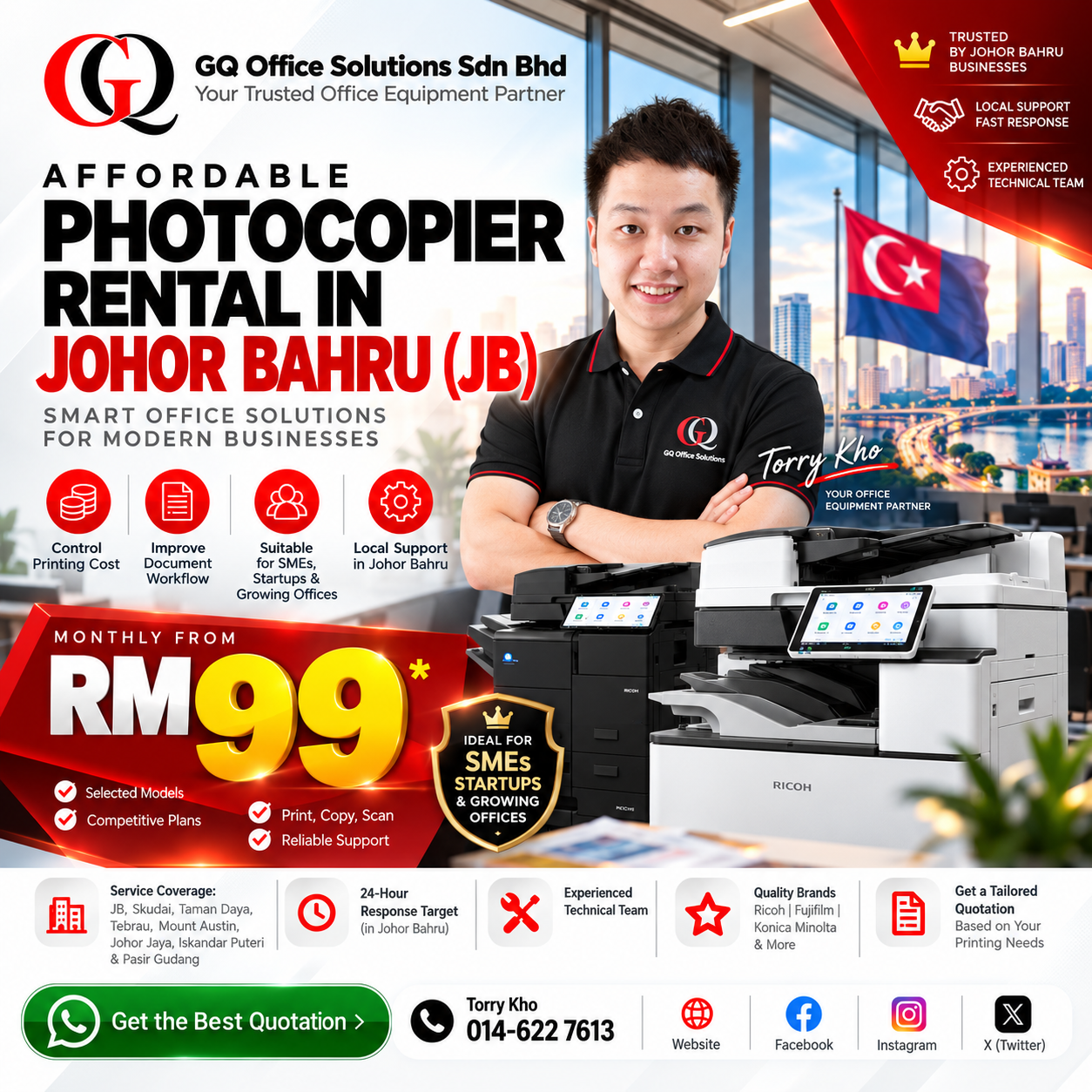
GQ Office Solutions Sdn Bhd offers selected photocopier rental packages from RM99 per month, subject to equipment availability and package terms.
Build a Smarter Office Without Overspending
From RM99/month
Selected photocopier rental packages only.
- Understand your monthly printing budget.
- Reduce avoidable paper and colour usage.
- Improve scanning and document sharing.
- Choose appropriate copier capacity.
- Explore local rental support in JB.
How Can JB Businesses Build an Efficient Office Printing Setup on a Limited Budget?
Businesses in Johor Bahru can build a cost-effective office printing setup by estimating their monthly print volume, selecting suitable multifunction equipment, reducing unnecessary colour printing and using digital scanning workflows.
Affordable photocopier rental can reduce the need for a large upfront equipment purchase. Selected packages from GQ Office Solutions Sdn Bhd start from RM99 per month.
The best approach is to compare the total monthly printing cost, not just the advertised rental fee.
A smart office printing strategy begins with understanding how documents are actually used. Once a business knows what it prints, how often it prints and which documents can be handled digitally, equipment decisions become easier and more cost-effective.
The Real Cost of Inefficient Office Printing
Printing costs are not limited to rental fees, toner and paper. Inefficient printing practices can also consume employee time and create unnecessary administrative work.
Consider an office where employees frequently print documents in colour by default, produce duplicate copies for different departments and manually organise paper files that could be stored digitally.
Each activity may appear minor. Together, they can create recurring expenses and reduce operational efficiency.
Unnecessary Printed Pages
Duplicate documents, incorrect print settings and avoidable single-sided printing can increase paper consumption.
Unplanned Colour Usage
Routine documents may be printed in colour even when black-and-white output would be sufficient.
Manual Document Handling
Employees may spend unnecessary time printing, scanning, filing and searching for paper documents.
Too Many Separate Printers
Multiple desktop printers can create separate consumable, maintenance and device management requirements.
Oversized Copier Selection
Renting equipment with substantially more capacity than required may result in unnecessary rental expenditure.
Poor Digital Organisation
Without a consistent scanning and file-naming process, employees may repeatedly request or reproduce documents.
Reducing office printing costs does not always require reducing the amount of work completed. Often, the better solution is to eliminate unnecessary printing and improve document handling.
How to Set a Realistic Monthly Office Printing Budget
Before comparing photocopier rental quotations, estimate the number and type of documents your office produces every month.
A useful printing budget should include the monthly rental fee, chargeable black-and-white pages, chargeable colour pages and any additional costs stated in the agreement.
Monthly Printing Budget Worksheet
Understand the Full Monthly Commitment
Use the agreed meter rates and applicable printing allowances to calculate chargeable pages.
This is a planning worksheet, not a live quotation or automatic calculator. Use the actual rates and conditions supplied by GQ Office Solutions.
Why This Budget Method Is Useful
Two businesses renting the same copier may have different monthly expenses because their printing volumes differ. An office printing mainly black-and-white invoices may have a different cost profile from a design or marketing department producing frequent colour documents.
A realistic budget helps prevent choosing equipment based only on the advertised rental amount.
How Much Does Office Printing Cost Per Month in Johor Bahru?
Understanding your monthly photocopier rental and printing expenses can help your business plan a more cost-effective office printing budget. Below is an illustrative monthly printing cost calculation for a business in Johor Bahru (JB).
Monthly Rental
RM180
Free B&W Copies
1,000
B&W Meter Rate
RM0.03
Per Page
Colour Meter Rate
RM0.40
Per Page
How Is the Monthly Printing Cost Calculated?
Monthly Rental: RM180.00
B&W Printing: (3,000 - 1,000 free pages) × RM0.03 = RM60.00
Colour Printing: 200 pages × RM0.40 = RM80.00
RM180 + RM60 + RM80 = RM320 / Month
Why Businesses Should Calculate Total Printing Costs
The advertised monthly rental price is only one component of office printing expenses. Businesses should also consider their actual black-and-white and colour printing volumes, included monthly copies, meter charges and the maintenance coverage stated in the rental agreement.
By estimating these costs in advance, SMEs, accounting firms, logistics companies, corporate offices and other businesses in Johor Bahru can compare photocopier rental packages more effectively and plan their monthly printing budgets.
Important: This calculation is an illustrative example based on a RM180 monthly rental, 1,000 included B&W pages, RM0.03 per additional B&W page and RM0.40 per colour page. It is not a confirmed quotation for every GQ Office Solutions rental package. Actual rental charges, included copies, meter rates, taxes and other applicable fees depend on the agreed quotation and rental contract.
Get a Photocopier Rental Quote in Johor Bahru
Not sure which photocopier rental package fits your monthly printing volume? Contact GQ Office Solutions Sdn Bhd to discuss your office requirements and request a suitable quotation.
Get Your Best Quote via WhatsApp →Affordable Photocopier Rental From RM99: What Should Your Budget Cover?
Selected GQ Office Solutions photocopier rental packages start from RM99 per month. However, an affordable office printing budget should account for more than the monthly rental amount.
Monthly Equipment Fee
Confirm the monthly rental fee, selected copier model, contract duration and deposit.
Usage-Based Charges
Check black-and-white and colour meter rates, including any eligible promotional allowances.
Service Coverage
Understand toner supply, maintenance arrangements, spare parts coverage and applicable service conditions.
The advertised starting price does not apply to every copier model. Actual fees, deposits, meter rates and contract conditions vary according to the selected arrangement.
For detailed model and rental price comparisons, visit our dedicated photocopier rental price packages in Johor Bahru .
If you are still comparing rental providers, equipment categories and general contract terms, read our Best Photocopier Rental Johor Bahru Business Guide .
How to Estimate Your Office's Printing Requirements Before Renting
An accurate printing estimate helps businesses avoid both undersized equipment and unnecessary rental expenditure.
Review Your Current Document Activities
Start by listing the documents produced by each department. Examples include invoices, delivery orders, financial reports, quotations, contracts, forms and training materials.
Separate Black-and-White and Colour Usage
Not every document requires colour output. Identify which documents genuinely need colour and which can be printed in black and white.
Consider Peak Printing Periods
Some offices print more heavily during month-end reporting, audit preparation, stocktaking or other recurring business periods. Equipment capacity should accommodate realistic busy periods.
Check Scanning and Document Handling Needs
Offices processing multi-page documents may benefit from a suitable automatic document feeder. Businesses sharing scanned files should also review supported network scanning functions.
Estimate total monthly printed pages.
Separate B&W and colour printing.
Identify the number of regular users.
Review peak workload periods.
Check required scanning features.
Confirm paper sizes and handling needs.
Consider office network requirements.
Allow for realistic business growth.
Once these requirements are clear, it becomes easier to request a quotation for a suitable multifunction photocopier.
10 Practical Ways to Reduce Printing Costs Without Affecting Productivity
Small changes to printing habits can help businesses control expenses while maintaining the document output required for daily operations.
Set Black-and-White as the Default
Use black-and-white printing for routine internal documents unless colour is necessary.
Enable Double-Sided Printing
Use automatic duplex printing when supported and appropriate for the document.
Review Documents Before Printing
Check formatting, page ranges and document versions to reduce unnecessary reprints.
Monitor Department Printing Volume
Where supported, use print usage information to identify unusual consumption patterns.
Scan Instead of Photocopying
Share digital copies when physical duplicates are unnecessary.
Use Electronic Approval Workflows
Where suitable, circulate documents digitally rather than printing multiple approval copies.
Centralise Routine Office Printing
Evaluate whether a shared copier is more practical than maintaining multiple separate printers.
Organise Digital Documents Properly
Consistent file names and folders can reduce repeated document requests and duplicate printing.
Review Monthly Meter Readings
Compare monthly usage against expected business activity and investigate unusual increases.
Match Copier Capacity to Actual Demand
Choose equipment that handles realistic workloads without paying for unnecessary capacity.
These strategies are useful whether a business operates a small office in Taman Daya, a commercial workplace in Mount Austin or a larger administrative department in Johor Bahru.
Smart Printing Defaults That Can Reduce Paper and Colour Usage
Printing defaults influence everyday employee behaviour. Sensible settings can reduce avoidable printing without requiring constant manual reminders.
Black-and-White Default
Set monochrome printing as the standard for routine documents where appropriate.
Duplex Printing Default
Enable double-sided output for suitable documents to reduce paper consumption.
Print Preview
Encourage employees to check page layout before printing.
Page Range Selection
Print only the pages required instead of entire documents.
Access Permissions
Selected models may support user access controls for appropriate print management.
Usage Monitoring
Where available, review print counters or user reports to support better cost awareness.
Available print settings depend on the copier model, printer driver and network configuration. Confirm the functions supported by the selected rental machine.
Paperless Office vs Paper-Based Office: Finding the Right Balance
A modern office does not necessarily need to eliminate paper completely. The practical goal is to use digital documents where appropriate while retaining printed records when business requirements demand them.
| Business Activity | Paper-Based Approach | Digital Alternative |
|---|---|---|
| Internal Reports | Print copies for each department. | Share authorised digital files. |
| Document Review | Circulate printed drafts. | Use electronic review where suitable. |
| Administrative Records | Store physical folders. | Scan and organise digital records. |
| Customer Documents | Provide printed copies when required. | Offer digital copies where appropriate. |
| Internal Announcements | Print multiple notices. | Use authorised digital communication. |
When Printed Documents Still Matter
Certain business activities may require signed physical documents, printed operational forms or paper records for practical reasons. Businesses should follow their own legal, regulatory and operational requirements.
When Digital Documents Make More Sense
Internal reference materials, routine information sharing and many administrative processes can often be handled digitally, depending on company policies and document security requirements.
A multifunction copier with suitable scanning capabilities can support both printed and digital workflows.
How Scan-to-Email and Digital Filing Improve Office Efficiency
Scanning is one of the most useful multifunction copier features for offices managing frequent paperwork.
Instead of repeatedly photocopying the same document, employees can create a digital file and share it through approved company systems.
Receive Document
Collect the paper document that needs to be stored or shared internally.
Scan Document
Use a suitable multifunction copier to create a digital copy.
Organise File
Apply an appropriate file name and save it in an authorised location.
Share Securely
Provide access to the relevant employees using approved channels.
Example: Accounting Office Document Workflow
An accounting office may receive invoices, receipts and supporting financial documents from clients. Where appropriate, staff can scan these documents into organised digital folders for authorised review.
This approach can reduce repeated photocopying and make documents easier to locate, provided that the business uses suitable access controls and record-keeping procedures.
Scanned documents may contain confidential business or personal information. Use authorised email accounts, secure folders and appropriate access permissions.
Shared Multifunction Copier vs Multiple Desktop Printers
Businesses sometimes operate several small desktop printers across departments. Others prefer a central multifunction copier. The better arrangement depends on office layout, usage volume and workflow needs.
Multiple Desktop Printers
- Individual devices near employees.
- Separate toner or ink requirements.
- More devices to monitor and maintain.
- Different printing capabilities.
- Potentially useful for isolated workstations.
- Costs depend on each device and usage.
Shared Multifunction Copier
- Centralised printing and copying.
- Shared scanning capabilities.
- Potentially simpler device management.
- Consistent printing settings.
- Suitable for many shared office environments.
- Requires appropriate capacity and network setup.
Which Option Is More Affordable?
There is no universal answer. A very small office with occasional printing may have different needs from a company with multiple departments printing hundreds or thousands of pages every month.
Compare the total cost of equipment, consumables, maintenance, employee convenience and printing volume.
For offices with frequent shared printing, a multifunction photocopier may offer a more practical centralised workflow.
How to Choose the Right Copier Capacity Without Overspending
Copier capacity should reflect actual business demand rather than the assumption that a larger machine is always better.
| Office Situation | Main Consideration | Recommended Approach |
|---|---|---|
| Small Office | Routine documents and limited users. | Compare compact or standard multifunction copier options. |
| Growing SME | Increasing printing and scanning needs. | Allow for realistic business growth without excessive capacity. |
| Shared Administration Team | Multiple users and regular document handling. | Consider network access, document feeder and suitable speed. |
| High-Volume Department | Frequent large print jobs. | Evaluate higher-capacity equipment based on measured workload. |
Avoid Paying for Unnecessary Features
Advanced finishing functions, high print speeds and additional paper-handling options may be useful for some businesses but unnecessary for others.
Do Not Undersize the Copier Either
A machine that struggles with regular office demand may create delays and inconvenience. The goal is to choose suitable capacity, not simply the smallest available model.
GQ Office Solutions can discuss different Ricoh, Fujifilm and Konica Minolta copier options according to business requirements.
For a broader explanation of copier brands, rental contracts and supplier selection, refer to our Johor Bahru photocopier rental business guide .
A Practical 30-Day Office Printing Cost Improvement Plan
Businesses do not need to redesign their entire document system overnight. A structured 30-day review can help identify avoidable printing expenses and improve everyday workflows.
Measure Current Usage
Record black-and-white and colour printing volume.
Identify the departments producing the most documents.
Note common printing problems and repeated document tasks.
Improve Print Settings
Review default colour and duplex settings.
Encourage print preview and appropriate page selection.
Explain simple cost-saving practices to employees.
Improve Digital Workflows
Identify documents suitable for scanning and digital sharing.
Introduce consistent digital file naming.
Review document access and security procedures.
Review and Optimise
Compare printing usage against the first week's baseline.
Identify improvements and remaining inefficiencies.
Review whether current equipment matches actual office needs.
What Should You Measure After 30 Days?
Change in total printed pages.
Change in colour printing volume.
Reduction in avoidable duplicate printing.
Use of scanning and digital sharing.
Employee feedback on printing efficiency.
Estimated monthly printing expenses.
Do not assume a fixed percentage of cost savings. Actual results depend on previous printing habits, equipment settings and business requirements.
Real Business Example: Improving Office Printing Efficiency in Johor Bahru
A suitable copier can support both everyday printing and more organised document workflows. The following equipment application illustrates the type of office requirement businesses should assess.
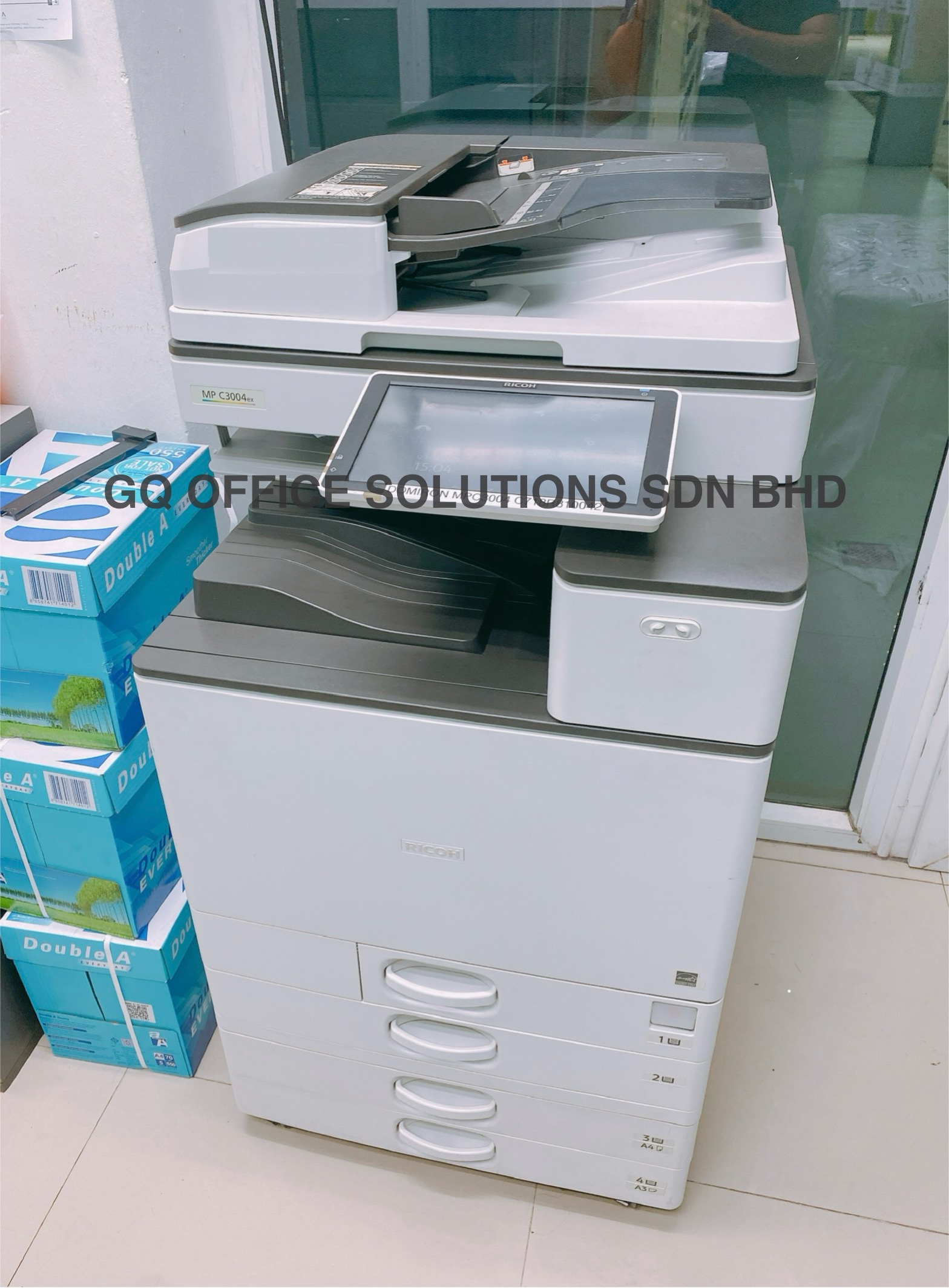
Suggested: Ricoh MP C3004 installation at an accounting office in Taman Daya, Johor Bahru.
Ricoh MP C3004 for Accounting Workflows
Location: Taman Daya, Johor Bahru
Business Type: Accounting Office
Equipment: Ricoh MP C3004
Relevant Office Activities: Printing financial reports, copying client documents and scanning administrative records.
Efficiency Considerations: Shared multifunction access, suitable print settings and practical document scanning.
No specific cost savings, productivity improvement or customer testimonial is claimed without verified supporting records.
Authentic installation photographs can help customers understand the actual equipment and service environment. Use customer photos only with appropriate permission.
Affordable Printing Solutions for SMEs, Startups and Growing Offices
Businesses at different stages require different printing arrangements. A practical solution should support current needs while considering realistic future growth.
Keep Essential Costs Manageable
Focus on reliable routine printing, basic scanning requirements and clear monthly cost planning.
Avoid Unnecessary Upfront Spending
Compare rental options that provide essential document functions without purchasing equipment outright.
Prepare for Shared Workloads
Consider multiple users, network printing, document feeder requirements and increasing print volume.
Local Business Coverage
GQ Office Solutions provides photocopier rental services for businesses in Johor Bahru and surrounding areas, including Skudai, Taman Daya, Tebrau, Mount Austin, Johor Jaya, Iskandar Puteri and Pasir Gudang.
For statewide service information, explore our business copier and printer rental services in Johor .
Why Local Support Still Matters
Efficient office printing also depends on suitable technical assistance. GQ Office Solutions has technical personnel with more than 10 years of industry experience and spare parts resources in Johor Bahru.
Applicable Johor Bahru service arrangements have a 24-hour response target, subject to the agreed terms. This is not a guarantee that every repair will be completed within 24 hours.
Read more about professional office photocopier rental services in JB .
Business Feedback on Affordable Office Printing and Copier Rental
Businesses often evaluate photocopier rental based on budget clarity, practical equipment features and everyday printing requirements.
"Our office wanted to understand the full monthly printing budget before choosing a rental package. The most useful part was comparing equipment rental with expected black-and-white and colour printing. This helped us discuss the options more clearly during internal planning."
"We were looking for a practical office copier arrangement without unnecessary equipment costs. Reviewing the printing requirements first helped us understand which features were important for our daily administrative work."
"Our team produces invoices and inventory documents every day. We wanted a shared printing setup that was easy for staff to use. The discussion about copier capacity and network printing was relevant to our office operations."
"As our company grows, we are reviewing how different departments handle documents. The information about centralised printing and scanning workflows helped us consider whether our existing setup could be improved."
"Our accounting team handles many client documents, so scanning is an important function. We appreciated the focus on document organisation and practical office workflows, rather than simply comparing machine specifications."
"We print worksheets and teaching materials regularly. Understanding how double-sided printing and black-and-white settings affect monthly usage was useful when planning our printing budget."
"We wanted to avoid purchasing equipment with more capacity than our office actually needed. Reviewing expected print volume and employee usage helped us identify the important considerations before requesting a quotation."
"Our administrative staff wanted a more organised way to share routine office documents. The explanation of multifunction scanning and digital filing gave us useful ideas for improving our current workflow."
Frequently Asked Questions About Affordable Office Printing in Johor Bahru
Practical answers about printing budgets, cost reduction, digital workflows and affordable photocopier rental in JB.
How Can a Small Office in Johor Bahru Reduce Printing Costs?
Start by measuring monthly printing volume, separating black-and-white and colour usage, and reviewing unnecessary printing. Duplex printing, digital document sharing and suitable copier capacity can also support better cost control.
What Is a Realistic Monthly Printing Budget for a Small Business?
A realistic budget depends on the number of pages printed, colour requirements, copier rental fee and agreed meter rates. Businesses should calculate expected chargeable printing costs together with the fixed monthly rental.
Can I Rent a Photocopier in Johor Bahru From RM99 Per Month?
Yes. GQ Office Solutions offers selected photocopier rental packages starting from RM99 per month. Availability, machine specifications, deposits and contract conditions must be confirmed through quotation.
Does Double-Sided Printing Really Help Reduce Office Expenses?
Double-sided printing can reduce paper consumption when documents are suitable for duplex output. The actual savings depend on printing volume, paper costs and existing office practices.
Is Black-and-White Printing Usually Cheaper Than Colour Printing?
Black-and-white printing commonly has a lower per-page charge than colour printing under many rental arrangements. Check the actual meter rates in your quotation before comparing costs.
Is One Shared Multifunction Copier Better Than Several Printers?
A shared copier may simplify device management and provide centralised printing and scanning. However, the best arrangement depends on office layout, number of users, document volume and operational needs.
How Can Scan-to-Email Improve Office Productivity?
Scan-to-email can help employees share digital copies of paper documents without repeatedly photocopying them. The feature must be supported by the selected copier and configured appropriately.
What Should I Check Before Choosing a Budget Photocopier?
Review monthly print volume, black-and-white and colour requirements, scanning functions, number of users, rental fee, meter rates and maintenance arrangements. The cheapest advertised price is not always the lowest total cost.
How Do I Know If My Office Copier Is Too Large for My Needs?
Compare the copier's capacity and available features with your actual monthly workload. If your business rarely uses the additional capacity or functions, a more suitable machine category may be worth evaluating.
Can a Business Reduce Printing Without Becoming Fully Paperless?
Yes. Businesses can retain necessary printed documents while using digital files for suitable internal communication, document storage and sharing. The correct balance depends on business and record-keeping requirements.
Does GQ Office Solutions Provide Technical Support in JB?
GQ Office Solutions provides local technical support arrangements for eligible photocopier rentals. Applicable Johor Bahru arrangements have a 24-hour response target, subject to agreed service terms. Repair completion times may vary.
How Can I Request an Affordable Copier Rental Quote in Johor Bahru?
Contact GQ Office Solutions with your business location, estimated monthly printing volume, colour printing needs and required scanning features. The team can discuss suitable equipment and available rental packages.
Explore Affordable Photocopier Rental and Smart Office Printing Solutions in JB
Discover practical topics related to office printing budgets, cost reduction, digital document workflows and affordable multifunction photocopier rental in Johor Bahru, Malaysia.
15 related topics • Johor Bahru, Johor, Malaysia
Build a Smarter Office Printing Setup with GQ Office Solutions
Affordable office printing is about choosing the right equipment, controlling unnecessary expenses and improving the way your business handles documents.
GQ Office Solutions provides multifunction photocopier rental options for businesses in Johor Bahru and surrounding areas.
Explore selected rental packages from RM99 per month and discuss your printing budget, document workflow and equipment requirements.
Contact Person: Torry Kho
WhatsApp: 014-622 7613